Ellipal Wallet Review 2026: Is Ellipal Safe and Worth It?
By Paul Democritou · Updated November 9, 2026 · 15 min read
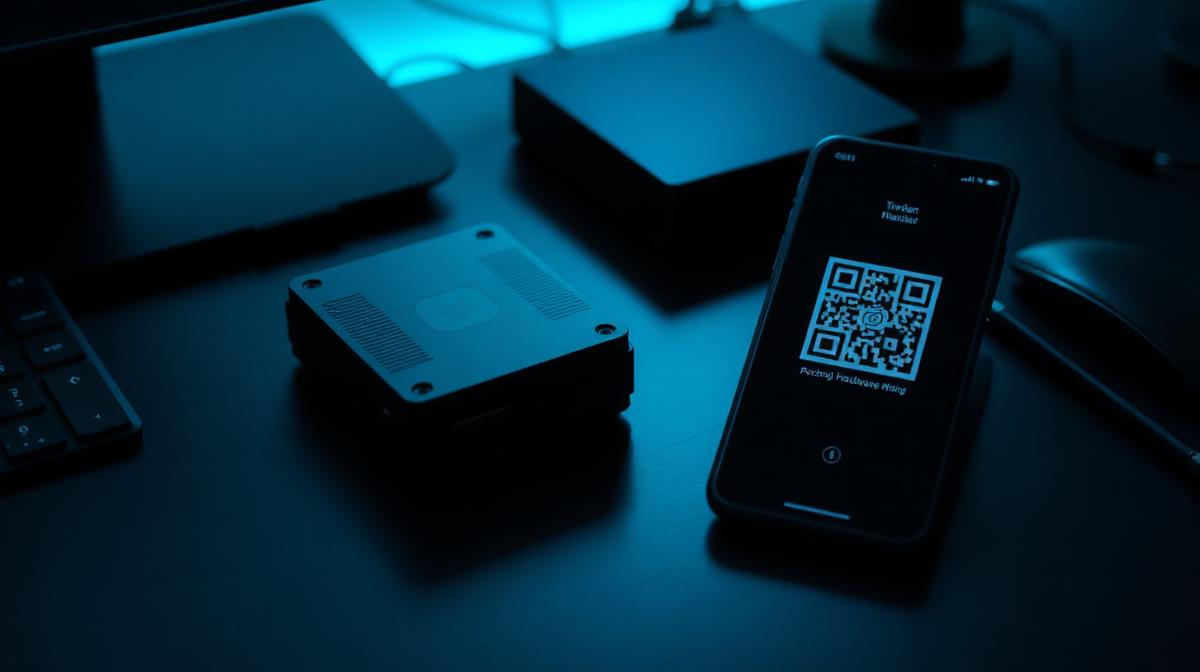
If you have been researching hardware wallets lately, there is a good chance you have come across Ellipal.
The important distinction is within the brand: Titan 2.0 and Titan Mini transfer transactions by QR code, while X Card signs through NFC on a phone. They are not the same security workflow.
This review compares documented features, not an independent security audit or a hands-on test of every current model.
But the real question is whether Ellipal is actually worth buying in 2026, whether it is safe enough for serious holders, and whether it fits the way you personally use crypto.
This review breaks that down in plain English so you can decide whether Ellipal is the right wallet for your situation.
Direct Answer
Ellipal Titan 2.0 and Titan Mini suit users who want QR-based signing and a separate device screen. X Card uses NFC and phone-app transaction review, with a Starter required for setup and recovery. Choose by workflow and compatibility; none guarantees protection from phishing, unsafe approvals or an exposed seed phrase.
Ellipal at a Glance
Best for: Titan buyers wanting QR transfer and on-device review; X Card buyers prioritizing compact NFC signing
Not ideal for: X Card buyers requiring a separate transaction display, unsupported networks, or users unwilling to maintain private recovery backups
Bottom line: The Starter is part of the X Card setup and recovery workflow, not its everyday phone-tap signing. Check the exact model before buying
Quick Disclosure
Ellipal has sponsored content with Paul before, and Paul has used Ellipal products personally. That does not mean this article should read like a sales page.
The point here is simple: help readers decide whether Ellipal actually fits their needs. That means saying where Ellipal is strong, where it is weaker, and who should probably look elsewhere.
What Is Ellipal?
Ellipal is a hardware wallet brand focused on cold storage and offline transaction signing.
The Titan range avoids USB data, Bluetooth and Wi-Fi for signing and transfers transaction data by QR code. X Card instead uses an NFC-enabled phone and the ELLIPAL app.
QR transfer reduces direct electronic connection paths, but the QR data still comes from an online app. It must be reviewed before you sign.
Decide whether you need a separate device display, card portability or a particular supported network. An isolation claim alone does not answer those questions.
If you are still comparing the basics first, start with our guide on hardware wallets vs software wallets.
How Ellipal Works
Ellipal works by combining a dedicated hardware device with a mobile app based workflow.
For a Titan, the app prepares an unsigned transaction, the device scans it, you inspect details on its screen, and the app scans the signed response to broadcast it.
For X Card, create or recover the wallet using the separate Starter. For everyday sending, review the transaction in the phone app, enter the Card-PIN and tap the card by NFC to sign. The card has no separate transaction screen.
Your crypto stays on its blockchain; the device holds signing keys. Recovery depends on the backup, not on keeping the original device forever.
Do not confuse the X Card’s offline setup with QR air-gapped signing. The everyday NFC workflow has different review and connection tradeoffs.
What Air Gapped Means in Plain English
A lot of people hear the phrase air gapped and repeat it without really understanding it.
For Titan 2.0 and Titan Mini, Ellipal describes no Wi-Fi, Bluetooth or USB data connection; transactions cross the gap as QR codes. Charging is not a transaction-data connection.
This removes some direct data-connection paths. It does not remove hostile transaction data, deceptive apps, malicious contract approvals or physical risks.
X Card is an NFC signer, not a Titan-style QR device. Applying the same air-gap claim to both would hide a real difference.
A separate Titan screen lets you compare the transaction against what you intended. The X Card sending instructions instead direct you to inspect details in the phone app.
No connection method guarantees safe signing. Reject requests you cannot understand and do not treat an offline key as protection from a bad approval.
Ellipal Titan 2.0 vs Titan Mini vs X Card
Not everyone looking at Ellipal wants the same thing. Some people want a more traditional dedicated device. Others want a more portable card based setup.
Here is the simple breakdown.
| Product | Signing and review | Backup and fit | Main limitation |
|---|---|---|---|
| Titan 2.0 | QR transfer; 4-inch touchscreen; no USB data, Wi-Fi or Bluetooth | BIP39 recovery; large device-screen review | Charged device and camera-scanning steps |
| Titan Mini | QR transfer; compact device with its own screen | BIP39 recovery; smaller QR workflow | Check display readability and exact asset support |
| X Card | NFC tap signing; review in the phone app | Starter for setup/recovery; recorded seed backup | No separate transaction screen; requires compatible NFC phone |
My practical take
Choose Titan 2.0 if a 4-inch touchscreen helps you review transactions. Choose Titan Mini if you want a smaller QR device and are comfortable with its display and scanning workflow.
Choose X Card for compact NFC use only if phone-app review fits your needs and you can maintain the seed backup and Starter recovery workflow. It is not automatically a backup for a different wallet.
The mistake would be treating them as identical products. They are not. They solve different problems.
Main Pros of Ellipal
1. QR transfer on the Titan range
Titan 2.0 and Titan Mini avoid cable or Bluetooth transaction data. That suits readers who deliberately want QR transfer, without proving that the entire product is safer than every connected wallet.
2. Separate transaction review on Titans
The Titan device screen provides a place to inspect what you are signing apart from the phone. Still check addresses, amounts and available contract details; a display cannot make an unsafe request safe.
3. Conventional seed-based recovery
Ellipal documents BIP39 recovery. Phrase lengths, passphrase use and supported account paths depend on the model and restoration target; do not assume every compatible phrase restores every asset or feature.
4. Distinct device options
Titan 2.0, Titan Mini and X Card cover large-screen QR review, compact QR review and phone-tap NFC signing respectively.
5. Strong fit for layered storage
Ellipal works well in a layered setup where you separate exchange activity, hot wallet activity, and long term cold storage. That is how serious users usually think anyway.
Main Cons of Ellipal
1. It can feel less convenient than other options
Titans require camera scanning and a charged device. X Card needs a compatible NFC phone and app, with a separate Starter for creating or recovering a wallet.
2. Not ideal for hyper active wallet behavior
Check the specific network, token and app integration before buying for onchain activity. General asset counts do not prove that a particular dApp or transaction type is supported.
3. Hardware wallet security still depends on you
No hardware wallet can save you from terrible habits. If you expose your recovery phrase or approve the wrong thing, you can still get wrecked.
Is Ellipal Safe?
Ellipal’s security pages describe secure chips and tamper-response features. These are manufacturer claims; this review has not verified model-specific certificates, evaluation scopes or independent whole-wallet audit results.
EAL5+ or EAL6+ chip claims do not certify the whole wallet, its firmware or its app. QR transfer and NFC signing should be evaluated separately rather than ranked by a single security label.
A malicious transaction remains dangerous even when keys never leave hardware.
They ask, "Is Ellipal safe?"
The smarter question is: is your whole setup safe?
If a standard single-seed recovery phrase is exposed, assume the wallet is compromised and promptly transfer funds to a new, securely generated wallet with a different phrase.
You can own a strong hardware wallet and still lose money through bad seed phrase storage, phishing, fake apps or websites, sloppy device hygiene, careless transaction approvals, or poor recovery planning.
That is why this matters too. Read our full guide on how to store your seed phrase safely.
Ease of Use
Verify the backup and recovery process safely before depositing significant amounts, using current model-specific instructions. Do not erase your only funded wallet to test an unverified phrase.
A small receive-and-send test checks transfer handling, not the correctness of the backup. Keep words offline and private; never give them to a website, a stranger or support.
Ellipal documents optional passphrases. A passphrase opens a separate wallet, and restoring its seed alone is not enough; losing the exact passphrase can make that wallet inaccessible.
For X Card, follow the Starter create/recover instructions and protect the recorded phrase. Do not assume an extra card replaces a verified recovery plan.
Choose the workflow you can repeat carefully. A larger device or a slower process is not, by itself, evidence of stronger security.
Supported Assets and Real World Fit
Check Ellipal’s current support for your exact assets, networks and app features. BIP39 backup compatibility does not guarantee that another wallet displays every account or supports every chain.
That sounds obvious, but people still buy based on brand or hype instead of product fit.
The right way to think about it is: what assets do I hold, how often do I move them, how much do I care about isolation versus convenience, and am I building a long term vault or an active wallet setup.
If you want help matching a wallet to your use case, the Crypto Wallet Picker tool can compare wallets based on your specific needs.
Also see our guide to the best hardware wallets in 2026.
Real World Workflow and Existing Video
The existing video below is retained for context; it is not evidence that every current model was tested or independently audited for this review.
That can be good if the way you think about crypto security already leans toward isolation, compartmentalization, and separate device roles.
It can be less appealing if your priority is maximum speed or a very familiar wallet interaction style.
That video helps reinforce an important point: the best wallet is not just the one with the strongest marketing. It is the one that actually fits your security habits and how you manage crypto in real life.
Ellipal vs Trezor
This is one of the most useful comparisons because the wallets appeal to slightly different mindsets.
Choose Ellipal if you want: Titan QR transfer and a separate device screen, or X Card portability if you accept phone-app review. These are distinct choices.
Choose Trezor if you want: open-source firmware and Suite backup checks. Safe 3/5 use USB-C; Safe 7 adds Bluetooth and full iPhone support.
Neither is automatically better for everyone. This comes down to priorities.
If you want the Trezor side too, start with our Trezor wallet page.
Ellipal vs Ledger
This is another comparison people search a lot, even when they do not phrase it directly.
In simple terms:
Titan models suit readers deliberately choosing QR transfer. X Card suits NFC use; do not describe the entire Ellipal range as QR-isolated.
Ledger offers Nano S Plus for wired use, Nano X for Bluetooth, and Nano Gen5, Flex and Stax for touchscreen review. Check your exact apps and Clear Signing support; these features do not guarantee protection from scams.
Again, the real answer is not tribal. It is practical. Use the wallet that fits your behavior, not the one that wins the loudest online argument.
You can compare further on our Ledger wallet page.
Who Ellipal Is Best For
Ellipal is a strong fit for long term holders, people moving larger balances off exchanges, users who worry about unnecessary connectivity, crypto users who want a dedicated cold storage mindset, and travelers who like the idea of a more compact secondary option such as the X Card.
It is also strong for people who already understand that crypto security is about systems, not just devices.
Who Should Not Buy Ellipal
Ellipal is probably not the best fit if you want to move funds constantly, you care more about speed than isolation, you want the simplest possible all purpose wallet flow, you are likely to ignore seed phrase safety anyway, or you want one wallet to do everything.
That last one is worth repeating. One wallet should not do everything. The safest crypto setups usually separate roles.
Security Still Depends on User Behavior
This part matters more than the brand name.
You can buy Ellipal, Trezor, Ledger, or any other respected wallet and still make a mess of your security if your habits are bad.
That means: protect your seed phrase, do not trust random links, separate critical emails, keep your devices clean, do not rush transactions, use multiple wallets when appropriate, and think about inheritance and recovery, not just daily use.
Also read our guide on how to store crypto safely.
Should You Buy Ellipal in 2026?
For the right user, yes.
Ellipal is worth serious consideration in 2026 if your main goal is secure long term storage and you like the logic behind a more isolated signing model.
It is especially attractive if you do not want to leave your crypto on exchanges, you want a more security focused workflow, you want to separate storage from everyday exposure, or you like the choice between a dedicated device and a more portable card option.
It is less attractive if you are all about convenience, nonstop wallet interaction, or speed above everything else.
Final Verdict
Ellipal is worth considering when its exact model fits your review, connectivity and recovery needs. Titan QR signing and X Card NFC signing should not share a blanket safety verdict.
Choose a Titan for a separate transaction display; choose X Card for compact NFC use only after understanding its phone review and Starter requirements.
If you want the simple answer:
Ellipal Titan 2.0 offers 4-inch device-screen review and QR signing.
Titan Mini is the compact QR alternative.
Ellipal X Card offers NFC portability, without a separate transaction screen.
Check asset support and recovery requirements before choosing.
Learn From Experienced Crypto Educators
Crypto security becomes much easier when investors learn from reliable sources.
You can find additional crypto guides and wallet tutorials at CryptoFactor.net where experienced investors share insights about crypto security and investing.
There are also AI crypto tools available at AICryptoSuite.com that help investors analyze markets, research projects, and make smarter crypto decisions.
Quick Takeaway
The Titan range and X Card solve different workflow problems. Choose by where you review transactions, how data reaches the signer and how you recover access, not by treating all Ellipal devices as air-gapped.
Manufacturer References and Further Reading
Manufacturer documentation checked November 9, 2026. Specifications and security features are attributed to the manufacturer, not independent testing. No prices, ownership claims or whole-wallet audit results are inferred.
- Titan 2.0 specifications and QR workflow
- Titan Mini specifications
- X Card Starter and create-wallet instructions
- X Card recovery requirements
- X Card NFC signing and phone-app review
- Passphrase wallet and recovery requirements
- Manufacturer security claims and chip-rating limitations
- Backup compatibility and product FAQ
For the next decision, see long-term cold-storage options, Trezor Safe-model review.
Frequently Asked Questions
Is Ellipal safe?
Titans keep signing keys in a QR-based device; X Card uses NFC with phone-app review. Neither guarantees protection from phishing, malicious approvals or an exposed recovery phrase. Manufacturer security claims are not an independent whole-wallet audit.
Is Ellipal better than Trezor?
Choose a Titan for QR transfer and separate device-screen review. Trezor offers open-source firmware and Suite backup checks, with wired Safe 3/5 or Bluetooth Safe 7. Compare the exact model and supported assets rather than the brand alone.
Is Ellipal better than Ledger?
No. Titans use QR transfer, while Ledger models use wired or wireless connections and offer button or touchscreen review. X Card is an NFC product, not a Titan-style air-gapped device. Asset support and understandable transaction review matter more than a blanket ranking.
What is the difference between Ellipal Titan 2.0 and Ellipal X Card?
Titan 2.0 has a 4-inch touchscreen and QR signing, so you inspect transactions on a separate device. X Card uses NFC with review in the phone app and requires a Starter for setup and recovery. Titan Mini is the compact QR alternative.
Is Ellipal good for beginners?
It can suit beginners who can follow the chosen model’s setup and recovery instructions carefully. Titans require QR scanning; X Card requires an NFC phone and Starter for setup. Verify the backup before significant deposits.
Can Ellipal be hacked?
No wallet should be treated like it is beyond attack in every possible scenario. In the real world, the bigger risks are usually phishing, fake sites, bad recovery phrase storage, and careless user behavior rather than some dramatic movie style hack of the device itself.
Is Ellipal worth it for long term crypto storage?
A Titan can suit infrequent transfers when QR signing and device-screen review match your needs. X Card suits compact NFC use with different review tradeoffs. Long-term storage still requires a verified private backup and supported assets.
Recommended Guides
Best Hardware Wallet in 2026
A breakdown of the top hardware wallets this year comparing security, price, and usability.
How to Store Your Seed Phrase Safely
Your seed phrase is the master key to your crypto. Learn the best practices for storing it safely.
Find the right wallet for your security setup
Run the wallet quiz