Fake Crypto Wallet Apps and Extensions: How to Spot a Scam Before It Steals Your Crypto
Published November 9, 2026 · By Paul Democritou · Crypto Wallet Security · 12 min read
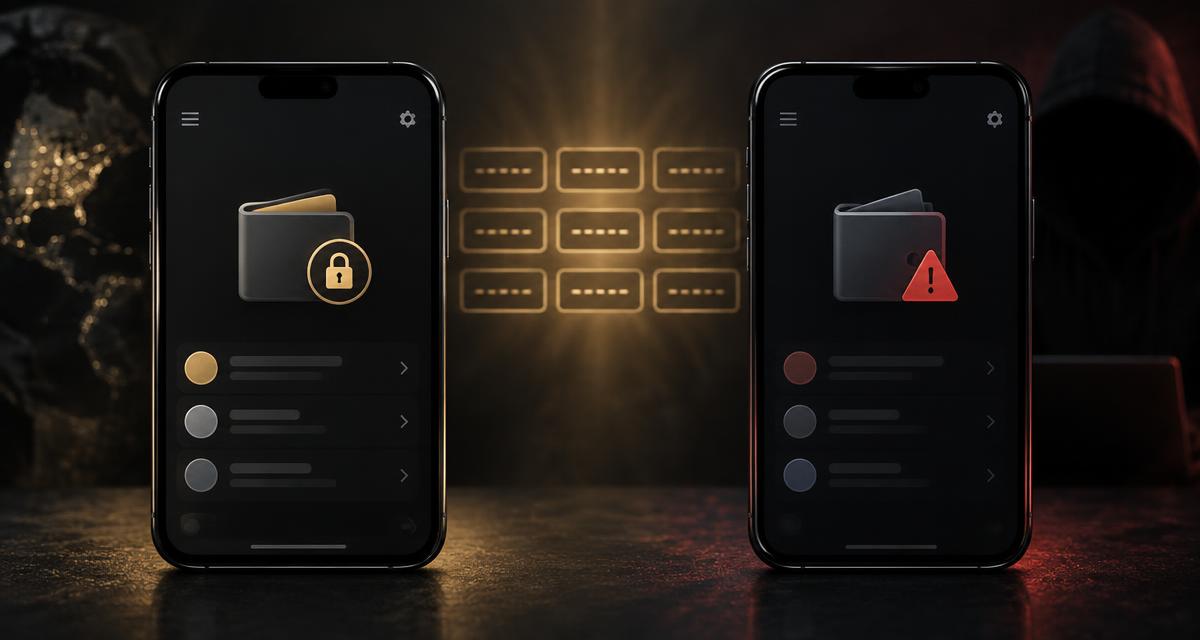
You find a crypto wallet in an app store. The logo looks right, the description sounds professional and the reviews seem reassuring. So you install it, import your existing wallet and get on with your day.
Except it was never the real wallet.
That is not a hypothetical attack. In 2026, security researchers identified fake browser extensions impersonating popular crypto wallets and deceptive iPhone apps that led users to compromised wallet downloads.
The dangerous part is how ordinary the first step looks: searching for software, clicking a download link or trusting a familiar brand name.
The most important rule is simple: never choose a crypto wallet download by its logo, ratings or search position alone. Verify the official source before you install it or enter recovery credentials.
Quick Answer: How Do You Spot a Fake Crypto Wallet App?
A fake crypto wallet app or extension imitates a legitimate wallet to steal recovery phrases, private keys or transaction approvals. To reduce the risk, go directly to the wallet provider's verified official website, follow its installation link, check the supported browser or device and review the publisher and requested permissions. Never enter your recovery phrase into an unfamiliar website, popup or supposed support form. If you gave a fake wallet your recovery phrase, treat that phrase as compromised and move funds to a newly generated wallet from a clean device.
What Happened in 2026? Two Documented Wallet-Impersonation Attacks
These were separate investigations involving different platforms and attack methods. They should not be combined into one supposed global wallet breach.
| Investigation | What the researchers found | What users could lose |
|---|---|---|
| Socket, October 27, 2026 | Three Firefox extensions impersonating Phantom, Jupiter and Bitget Wallet | Recovery phrases and private keys captured by malicious extension code |
| Kaspersky, April 20, 2026 | 26 deceptive Apple App Store listings imitating popular wallet brands, mainly aimed at Chinese iOS users | Victims were redirected to fake download pages and tricked into installing trojanized wallets capable of stealing credentials |
Important distinction: Neither investigation establishes that the genuine Phantom, Jupiter, Bitget, Ledger, MetaMask or other named wallet products were themselves hacked. Criminals were impersonating the brands or using deceptive distribution routes.
Case study 1: Fake Phantom, Jupiter and Bitget Firefox extensions
On October 27, Socket's Threat Research Team reported three malicious Firefox add-ons designed to resemble legitimate crypto-wallet extensions. The fake listings copied recognizable branding and used visually similar characters in their names.
According to Socket's technical analysis, the extensions were built to capture sensitive wallet information, including recovery phrases and private keys. One Phantom-themed extension could also fetch malicious code from an attacker-controlled server after installation.
Socket reported that all three identified Firefox listings had been removed by the time it published its findings. That does not mean similarly designed scams can never reappear.
There were some especially useful warning signs in the research:
- The fake Phantom listing copied official-looking branding and promoted itself as an update.
- Its requested permissions included access to browser tabs and data across websites.
- Its visible ratings and reviews were not reliable evidence of safety.
- The real Phantom documentation now says Firefox is unsupported and directs users to its own download page for supported installations.
The practical takeaway: an extension can appear inside a legitimate browser marketplace and still be malicious. The safest starting point is the wallet provider's official installation guide, not a search inside the extension marketplace.
Sources: Socket's original October 27 investigation and Phantom's official installation instructions.
Case study 2: Fake wallet apps in Apple's App Store
On April 20, Kaspersky reported 26 fraudulent App Store applications impersonating brands including MetaMask, Ledger, Trust Wallet and Coinbase. The campaign primarily targeted users in China, where certain official wallet apps were unavailable through the local App Store.
The technique was more elaborate than a simple fake app asking for a seed phrase immediately.
First, a deceptive app appeared in Apple's store, often with basic functionality such as a calculator or utility. When opened, it directed the user to a site designed to resemble the App Store. The site then tried to persuade the user to install a separate, trojanized wallet app through an enterprise-style installation profile.
In other words, the App Store listing was bait; the compromised wallet was delivered later through a different installation route. Kaspersky reported the identified applications to Apple.
In some cases the malicious wallet application tried to capture the recovery phrase. For Ledger-style hardware wallets, the phishing approach relied on tricking users into typing a phrase that belongs on the hardware device, not into a phone app.
This case is not evidence that every iPhone wallet app is unsafe. It shows how the trusted appearance of an official store can be abused to lead someone outside that store into a dangerous install.
Sources: Kaspersky's April 20 findings and technical investigation on Securelist.
How Do Fake Crypto Wallet Apps Steal Money?
The exact mechanism varies, but the most important attack paths are:
1. Recovery-phrase theft. A fake setup or import screen collects the words that can restore a wallet. Anyone with the complete phrase may be able to recreate the wallet and move funds.
2. Private-key theft. Some malicious extensions search for or intercept raw private keys, not just recovery phrases.
3. Malicious transaction approval. A deceptive app or website may present a harmful transfer or smart-contract approval as a routine wallet action. Even a genuine hardware device can sign a bad transaction if its owner approves it.
4. Redirected installation. A legitimate-looking listing sends the user to an imitation app store or fake update page where a compromised version of the wallet is installed.
These risks are different from a bug in the blockchain itself. A blockchain can work exactly as designed while a thief uses stolen credentials or an authorized malicious transaction to take the assets.
Seven Warning Signs of a Fake Crypto Wallet Download
Don't treat any single sign as conclusive, but consider these reasons to stop and investigate:
- You reached the download through a sponsored ad, direct message or unfamiliar search result. These channels can lead to impersonation pages.
- The app asks you to install a second wallet from a different website or a device-management profile. That was a key part of Kaspersky's 2026 iPhone case.
- The browser or operating system isn't listed as supported on the provider's real website. A supposedly new Firefox wallet update is suspicious if the genuine provider says Firefox is unsupported.
- The name uses unusual characters or almost matches a real wallet. Copied logos and lookalike spellings are easy to miss.
- It urgently asks for a recovery phrase to unlock, verify or secure your funds. Do not give a phrase to a website or support agent. Legitimate wallet restoration inside a verified application is a different, deliberate process.
- The extension asks for broad browser permissions without a clear reason. Some genuine wallets need extensive site access to interact with dapps, so broad permissions are a warning to investigate, not automatic proof of malware.
- Reviews seem too good, change abruptly or conflict with recent complaints. Ratings and download counts can be manipulated or can reflect an older, harmless version.
How to Verify a Crypto Wallet Before Installing It
Use this short checklist every time you install a wallet, extension or desktop companion app.
Step 1: Start at the real developer's website
Use a web address you've independently verified, not a link from a comment, influencer impersonator, Telegram message or advertisement. Bookmark the official site once you've checked it. If you're unsure of the domain, compare it with the provider's verified documentation or established official channels.
Step 2: Follow the provider's download link
Let the developer send you to the correct app-store or browser-extension listing. For example, Phantom directs users through phantom.com/download, and MetaMask provides its official installation routes through metamask.io/download.
Step 3: Confirm that your device or browser is supported
An extension claiming to be an official release for a browser the wallet no longer supports deserves extra scrutiny. Check the current product documentation, not just the marketplace description.
Step 4: Inspect publisher details and permissions
Look at the developer identity, the extension's listed permissions, the destination domain and recent reviews. A real store listing is helpful but not sufficient by itself. Google explains that extensions with access to all websites can read or change data on those pages; legitimate functionality sometimes needs it, so understand why the permission is requested.
Step 5: Create or restore the wallet only in the verified environment
Your recovery phrase must never go into a website, search result, chat, cloud document or unsolicited support screen. If you're intentionally restoring a conventional software wallet, enter the phrase only into its independently verified official wallet interface on a device you trust.
If you're restoring a hardware wallet, follow that manufacturer's device-based recovery instructions. Do not type a hardware wallet's recovery phrase into a desktop or mobile companion application.
Step 6: Start small and verify the backup
Before depositing meaningful funds, make sure you understand how recovery works and verify the backup through an appropriate non-destructive check or a separate compatible device. Do not wipe your only funded device merely to test an unverified phrase.
For more on choosing the right wallet type, see our Hardware Wallet vs Software Wallet guide.
Already Installed a Suspicious Wallet? Do This Next
Your response depends on what information the software may have accessed. Don't assume that uninstalling it reverses a compromise.
| Situation | Safer next action |
|---|---|
| You saw a suspicious listing but didn't install it | Close it; find the provider's verified official download link |
| You installed a suspicious extension but didn't enter a phrase | Stop using it, remove it, scan/check the device, review permissions and wallet activity from a clean environment; consider moving funds if exposure cannot be ruled out |
| You entered or revealed a recovery phrase or private key | Treat the affected wallet as compromised. Create a brand-new wallet on a clean device using a different recovery phrase and promptly transfer remaining accessible funds |
| You approved a suspicious transaction | Stop interacting with the site; assess approvals and connected apps from a clean environment, use reputable network-specific revocation tools where appropriate, and seek qualified help if funds remain at risk |
| A hardware wallet's phrase was entered into a fake companion app | Treat the backup as compromised even if the hardware device still works. Move accessible assets to a newly generated wallet with a different backup |
If the computer itself may be infected, secure the new wallet and initiate transfers from a clean, trusted environment. A fresh installation of the genuine wallet using the same exposed seed phrase does not create new keys or make existing funds secure.
If funds were already transferred by an attacker, they may be irreversible. Beware of supposed recovery agents asking for a fee or your wallet credentials.
For recovery-phrase security, read How to Store a Seed Phrase Safely. For broader risks, see Can a Hardware Wallet Be Hacked?.
Can a Hardware Wallet Protect You From Fake Apps?
A genuine hardware wallet can reduce the risk of a malicious computer application directly extracting its signing keys. It requires transactions to be approved on a dedicated device, and the wallet's keys normally remain there.
But that doesn't mean you can safely install any software.
A fake app can still trick you into typing your hardware wallet's recovery phrase. It can also give you a malicious transaction to approve. If you confirm it without understanding what it does, the hardware wallet may sign it.
Hardware wallets reduce some attack surfaces. They do not eliminate phishing, compromised backups or unsafe approvals.
For long-term holdings, a properly configured hardware wallet with a carefully protected backup is often sensible. For active DeFi usage, you may prefer a separate software wallet holding a smaller working balance.
See our Best Hardware Wallets in 2026 comparison for device-specific considerations.
Choose a Crypto Wallet You Can Actually Verify and Recover
The fake-app problem is one reason you should choose a wallet based on more than marketing or popularity.
Ask yourself:
- Can I identify the legitimate app and its official installation route?
- Do I understand whether my keys are stored in software, on hardware or through another recovery arrangement?
- Can I recover the wallet without trusting a stranger or a random website?
- Am I comfortable checking transaction details before signing?
- Should my everyday wallet and long-term holdings use different keys?
The right answer varies. Someone holding Bitcoin for years has different needs from someone swapping tokens daily.
The quiz helps narrow down suitable wallet options. It does not verify an installed app, diagnose malware or guarantee protection from scams. Always install a recommended wallet through the verified provider's official channels.
Final Verdict: Verify the Download Before You Trust the Wallet
The 2026 investigations make one thing clear: attackers don't necessarily have to crack a hardware device or break a blockchain to steal crypto. Sometimes they only need you to install a convincing counterfeit.
The most effective prevention begins before the first transaction: verify the developer, use the official download route, understand the recovery process and keep your signing credentials out of unfamiliar interfaces.
Don't trust a wallet because it has a familiar icon. Trust only what you can verify, and keep your recovery credentials under your control.
Frequently Asked Questions
Can a fake crypto wallet app steal my crypto?
Yes. A malicious wallet app can capture a recovery phrase or private key, or trick you into approving a harmful transaction. If attackers obtain the signing credentials for a wallet, they may transfer its assets without your permission.
Are crypto wallet apps in the App Store or browser extension stores always safe?
No. Official stores provide screening, but malicious listings can still appear. In 2026, researchers documented deceptive wallet apps in the Apple App Store and malicious Firefox wallet extensions. Follow a verified link from the wallet provider and check the publisher and permissions.
How can I tell whether a crypto wallet extension is real?
Start at the wallet provider’s independently verified official website and use its download link. Check that the browser and extension are supported, inspect the publisher and permissions, and avoid lookalike names, unsolicited update links and recovery-phrase requests.
What if I installed a suspicious wallet extension but never entered my seed phrase?
Stop using it, disconnect the browser from sensitive wallet activity and remove the extension. Check for other suspicious software and review your wallet activity from a clean device. Risk depends on what the extension could access, so do not assume your wallet is safe solely because you never typed a phrase.
What if I entered my recovery phrase into a fake wallet app?
Treat that recovery phrase and the wallets derived from it as compromised. From a clean device, create a new wallet with a completely new recovery phrase and promptly move remaining accessible funds. Removing the fake app or changing a wallet password does not make an exposed phrase safe again.
Can a fake wallet app steal from a hardware wallet?
It may trick someone into entering the hardware wallet’s recovery phrase or approving a malicious transaction. The genuine signing device can reduce key exposure, but it cannot undo disclosure of the recovery phrase or make every approval safe.
Does a high star rating mean a crypto wallet extension is legitimate?
No. Reviews, download counts, copied branding and store listings are not proof of authenticity. Researchers documented a fake Phantom-themed extension with manipulated-looking ratings and reviews. Verify the official download route instead.
Which crypto wallet is safest to install?
There is no universally safest wallet. Choose a legitimate product that supports your assets and device, understand how its keys and backups are managed, and install it only through verified official channels. A hardware wallet may reduce exposure for long-term holdings, while a software wallet can be practical for smaller active balances.
Sources and Further Reading
Research checked November 9, 2026. The two documented campaigns have different technical causes and geographic scope. This article does not claim that the genuine wallet brands were compromised.
- Socket, October 27, 2026: Malicious Firefox extensions impersonating Phantom, Jupiter and Bitget
- Kaspersky, April 20, 2026: 26 fake wallet listings on Apple's App Store
- Kaspersky Securelist technical investigation of the fake-wallet app chain
- Phantom official browser-extension installation instructions
- Phantom's supported browsers
- MetaMask official advice for identifying genuine wallet software
- Google Chrome: permissions requested by extensions
- Mozilla's warning about crypto wallet extension scams
Affiliate disclosure: CryptoWalletPicker may earn a commission if you buy an eligible product through links on the site. This does not change the criteria used to discuss security and wallet suitability.